

Estimated Location
Important
The Estimated Location feature is disabled by default.
Before enabling it, the WHOIS Lookup feature must be enabled.
Then set OPENWISP_CONTROLLER_ESTIMATED_LOCATION_ENABLED to
True.
Overview
This feature automatically creates or updates a device's location based on latitude and longitude information retrieved from the WHOIS Lookup feature.
It is very useful for those users who have devices scattered across different geographic regions and would like some help to place the devices on the map, while being gently reminded to improve the precision of the location with a direct link for doing so.
It also significantly reduces the effort required to assign a geographic location manually when many devices are deployed in large buildings like schools, offices, hospitals, libraries, etc. Improve the precision of the estimated location just once and all the other devices sharing the same public IP will automatically inherit the same location.
The feature is not useful in the following scenarios:
Most devices are deployed in one single location.
Most devices are mobile (e.g. moving vehicles).
Visibility of Estimated Status
The estimated status of a location is visible in the admin interface in several ways:
The location name will mention the IP address from which it was estimated.
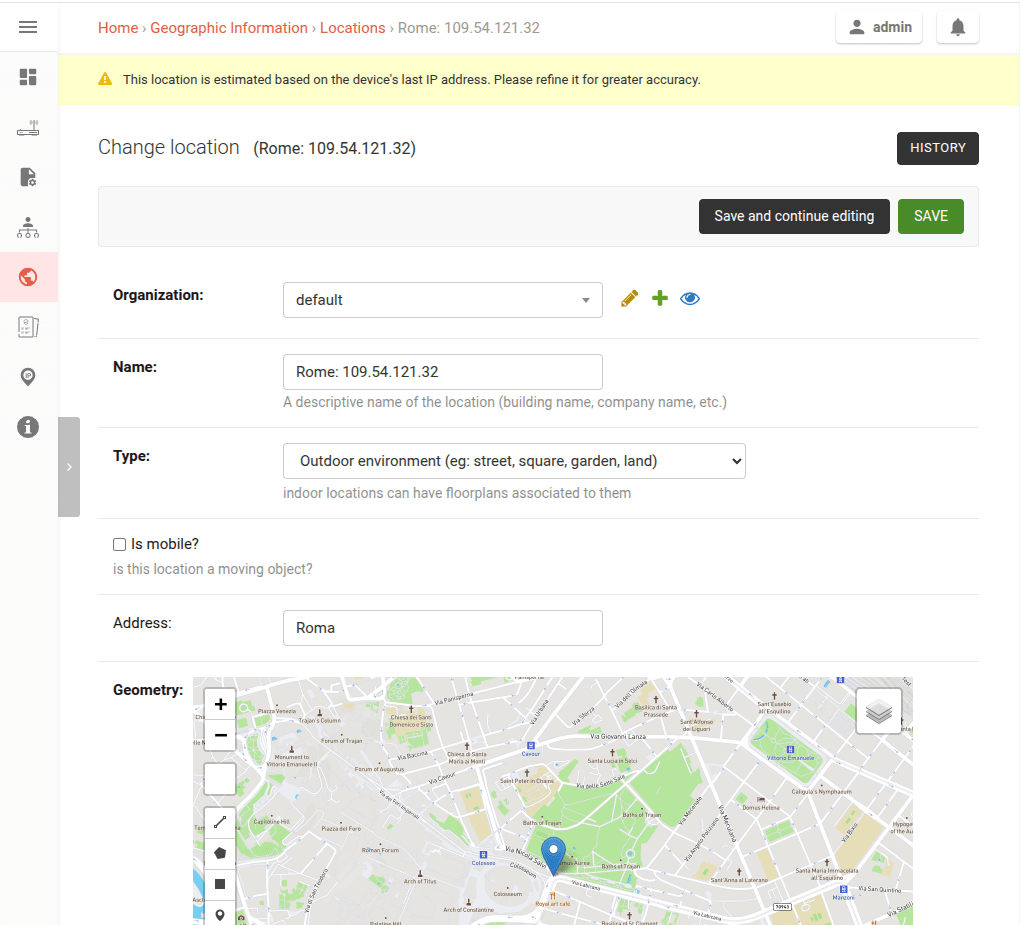
A warning message appears at the top of the location list page as in the image below.
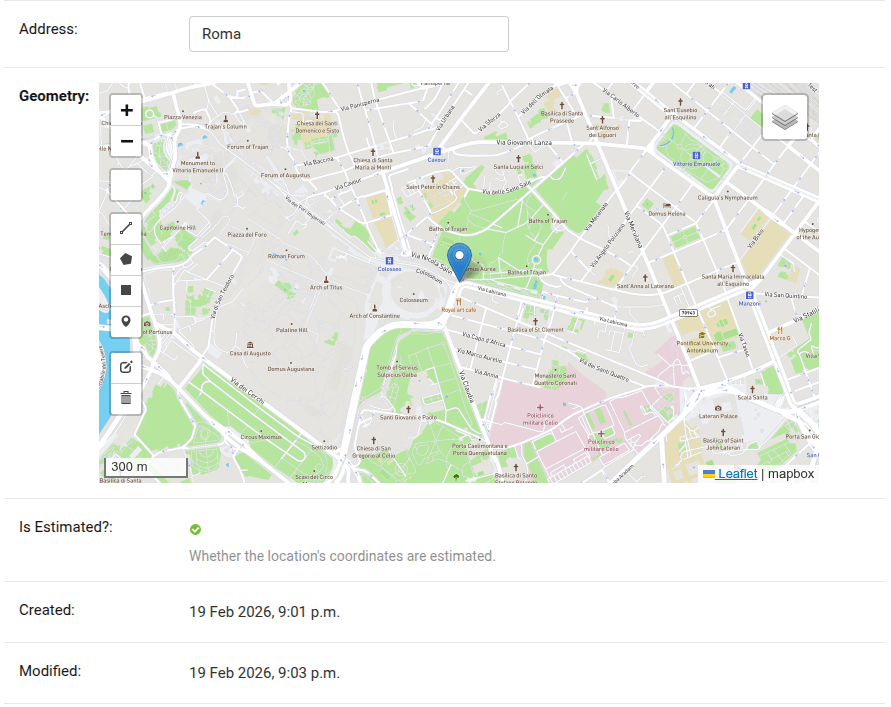
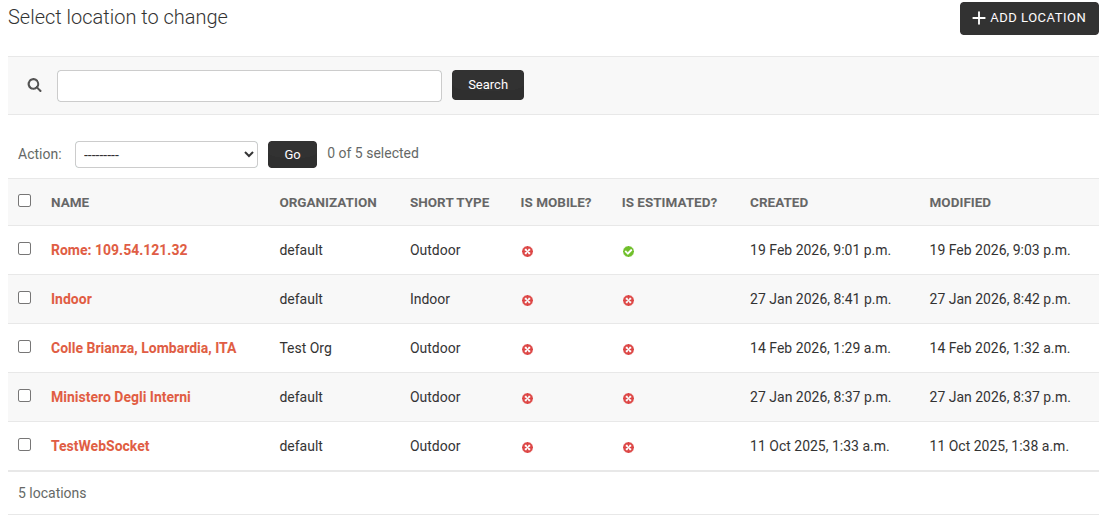
The Is Estimated? flag is displayed both in the location list page and in the location detail page, as in the images below.
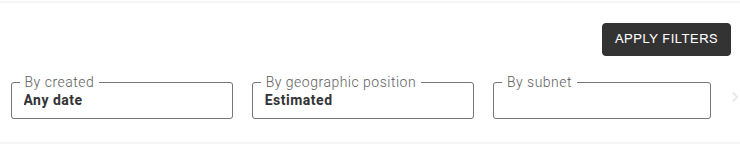
The device list page also allows filtering devices which are associated with estimated locations as shown in the image below.
Any change to the geographic coordinates of an estimated location will set
the is_estimated field to False.
When manually increasing the precision of estimated locations, it is highly recommended to also change the auto-generated location name.
In the REST API, the is_estimated field is visible in the Device
Location, Location list, Location Detail and Location list (GeoJSON) endpoints if the feature is enabled. The
field can also be used for filtering in the location list endpoints,
including the GeoJSON endpoint, and in the Device List.
Triggers and Record Management
The feature is triggered automatically when all the following conditions are met:
A WHOIS lookup is performed.
The last IP is a public IP address.
Both WHOIS lookup and Estimated Location features are enabled for the device's organization.
If no matching location exists, a new estimated location is created using coordinates from the WHOIS record. If an estimated location already exists, it will be updated with the new coordinates.
If another device with the same IP already has a location, the system will assign the same location for any device having the same IP and not being assigned to any other location.
If two devices share the same IP and are assigned to the same location, and one of them updates its last IP, the system will create a new estimated location for that device.
When WHOIS records are updated as described in the WHOIS Lookup section, any related estimated location will also be updated, if needed and only if the estimated location has not been manually modified to increase precision.
Notifications
Notifications are created in the following cases:
A new estimated location is created for the first time.
When multiple devices with the same IP have different locations assigned, administrators are notified and encouraged to manually resolve the ambiguity.
WHOIS data indicates a different geographic area, unless the estimated location has been manually refined.
If a device's public IP address changes but its location stays the same, the system updates the location silently without sending a notification.