

Scheduled Mass Upgrades
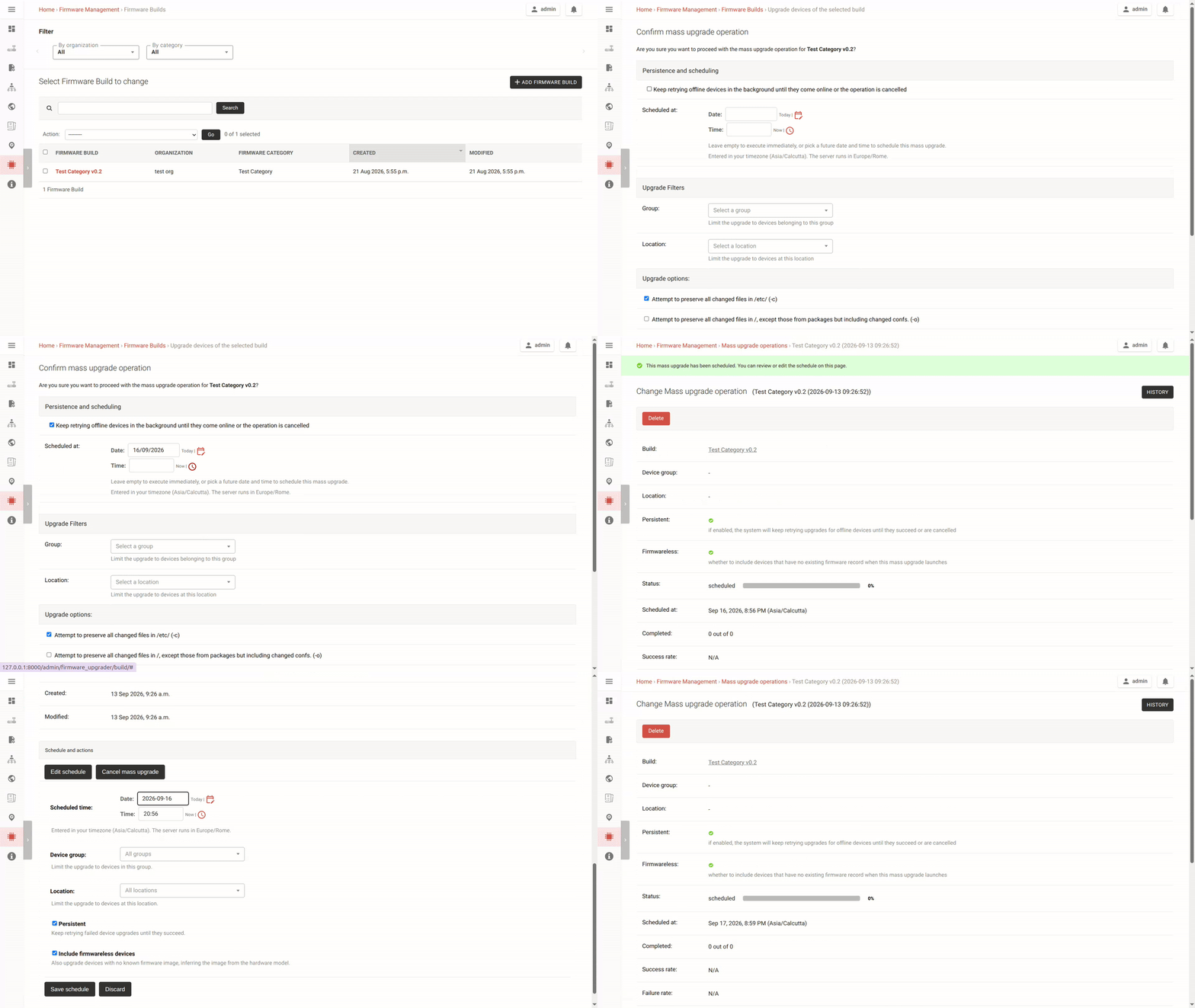
A mass upgrade normally runs the moment you confirm it. That is not always what you want: reflashing a large fleet in the middle of the working day means reboots and short outages while people are relying on the network. A scheduled mass upgrade lets you pick a future time, such as the small hours of the next maintenance window, and have the upgrade launch itself then.
How it works
A batch created with a future scheduled_at is saved in the new
scheduled status and is not dispatched right away. A periodic Celery
Beat task, execute_scheduled_upgrades, scans for batches whose time
has arrived and launches each one; from there it flows through the same
operation states as an immediate upgrade (see Upgrade Status).
Just before it launches, the batch is re-checked against the devices that
match it now. If nothing eligible is left (every matching device was
already upgraded, moved, or removed in the meantime) the batch is marked
failed without touching a single device, and the reason is sent as a
notification.
Scheduling composes with Persistent Mass Upgrades: keep
persistent enabled on a scheduled batch and any device that is offline
when the upgrade fires still lands in pending and is retried in the
background.
The task must be registered in the deployment's CELERY_BEAT_SCHEDULE
on a short cadence (60 seconds in production); see Settings.
Enabling from the admin
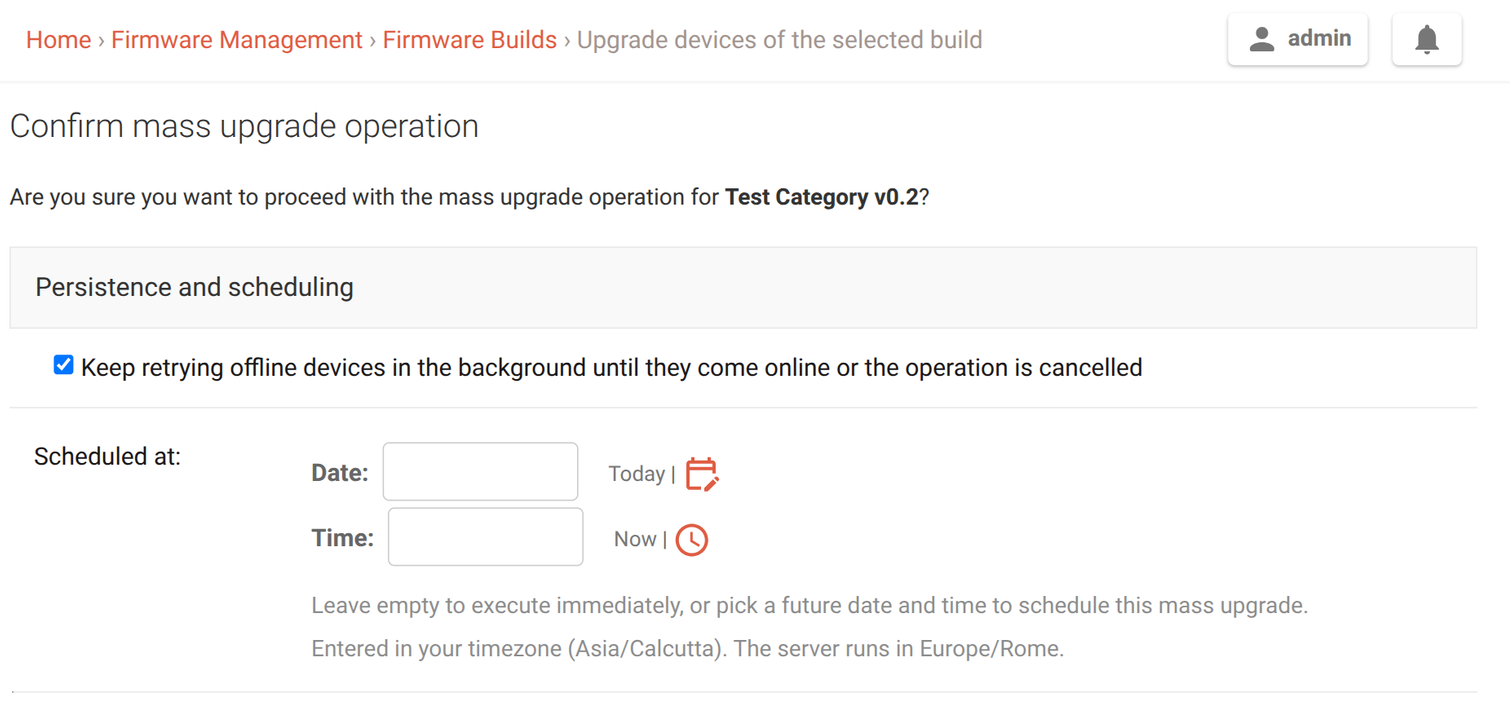
The mass-upgrade confirmation page, reached from a build's Upgrade action, has a Scheduled at field. Leave it empty to upgrade immediately, which is the default, or pick a date and time to run the batch later.
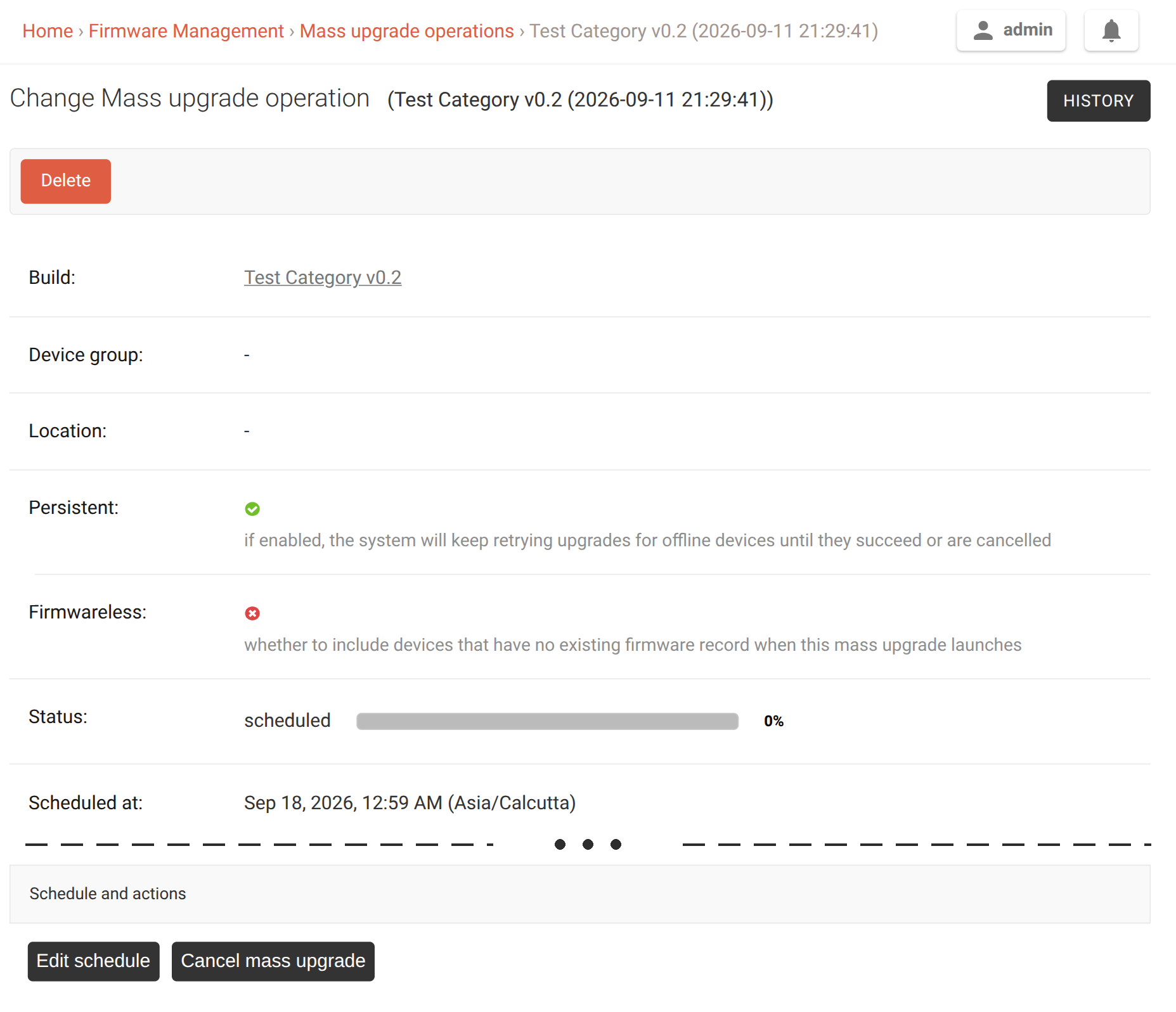
While the batch is still scheduled its detail page offers Edit
Schedule and Cancel buttons. Rescheduling can change the launch
time, the group and location filters, the persistent flag and the
firmwareless option; the build and its upgrade options are fixed once the
batch is created. After the batch starts, its schedule and other editable
fields can no longer be changed, but an in-progress batch can still be
cancelled.
Enabling via the REST API
The mass-upgrade endpoint accepts a scheduled_at field, and dedicated
reschedule and cancel endpoints edit or stop a scheduled batch.
See REST API Reference for the full request and response reference.
Timezone handling
The Scheduled at field is a browser-local time picker, and the page
prints which timezone that is (for example, Your timezone: Asia/Kolkata)
so there is nothing to guess. The time you pick is converted to UTC before
it is sent, stored in UTC, and shown back to you in your own browser's
timezone with the zone spelled out, for example 2026-07-15 02:00
(Asia/Kolkata). The REST API accepts and returns timezone-aware ISO 8601
values and leaves the display to the client.
The result is that the wall-clock time you enter is the time the upgrade runs in your timezone, so you never have to work an offset out by hand or be surprised by a batch firing hours away from when you meant.
Conflict prevention
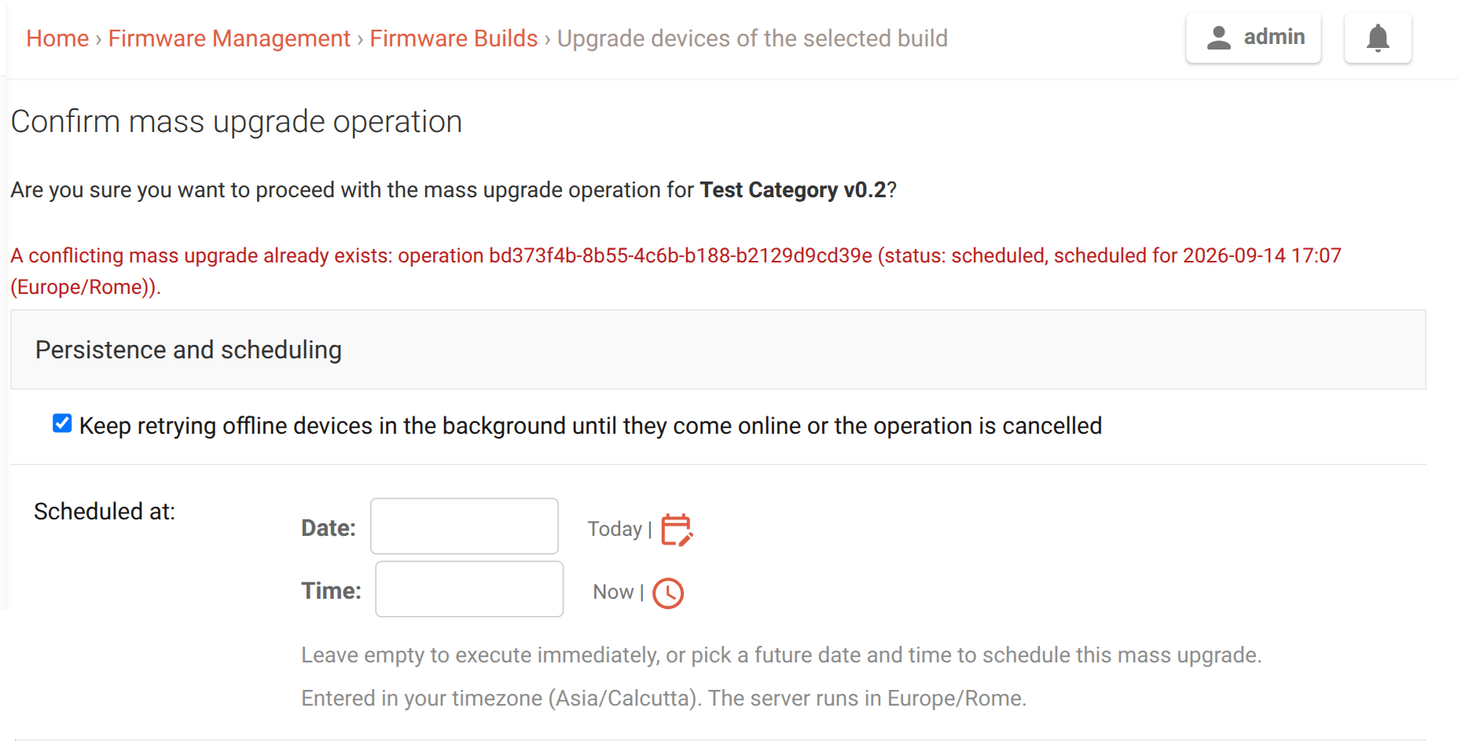
You cannot create a mass upgrade over devices that another active upgrade
already covers. If a scheduled or in-progress batch already exists
for the same firmware category with overlapping (or unset) group and
location filters, or if any target device already has an in-progress
or pending operation, the new batch is rejected at creation time and
the conflicting one is named in the error.
This stops two upgrades from flashing the same device at once, which would leave it in an unknown state and make progress reporting meaningless.
Notifications
Three notifications keep operators informed, all delivered to the organization's administrators and superusers:
a started notification when a scheduled batch reaches its time and begins,
a not started notification when a scheduled batch is skipped because no eligible device remained when its time arrived, and
a completed notification when a mass upgrade that has started reaches a terminal state, reporting whether it succeeded or failed. Cancellation is user-initiated, so it does not trigger a notification.
The completion notification fires for every mass upgrade, immediate ones included, not only scheduled batches.
Deleting the scheduling user
If the account of the user who scheduled an upgrade is deleted before device upgrades are created, the scheduled upgrade is marked as failed when it attempts to start. No devices are upgraded by that batch.
Device upgrades that have already been created continue unchanged.