

Persistent Mass Upgrades
Some devices may be offline when a mass upgrade starts. Persistent mass upgrades keep those devices in the same operation and try them again when they become reachable, so you do not have to create a new upgrade for each device.
Choose this option when you expect devices to come back online later. The operation stops retrying when it succeeds, is cancelled, is aborted because the device was deactivated, or encounters an error that needs attention.
How it works
When a device cannot be reached, its upgrade waits in the pending
state instead of failing. OpenWISP tries it again automatically, while the
mass upgrade remains in progress until every device has finished or been
cancelled.
After the normal immediate retries are exhausted, OpenWISP records the
next attempt in next_retry_at and increments retry_count. By
default, each attempt waits longer than the previous one, starting at
about 10 minutes, doubling up to 12 hours, and adding a small random delay
to spread retries across the fleet. A periodic Celery Beat task also
recovers an upgrade left in-progress by a terminated worker.
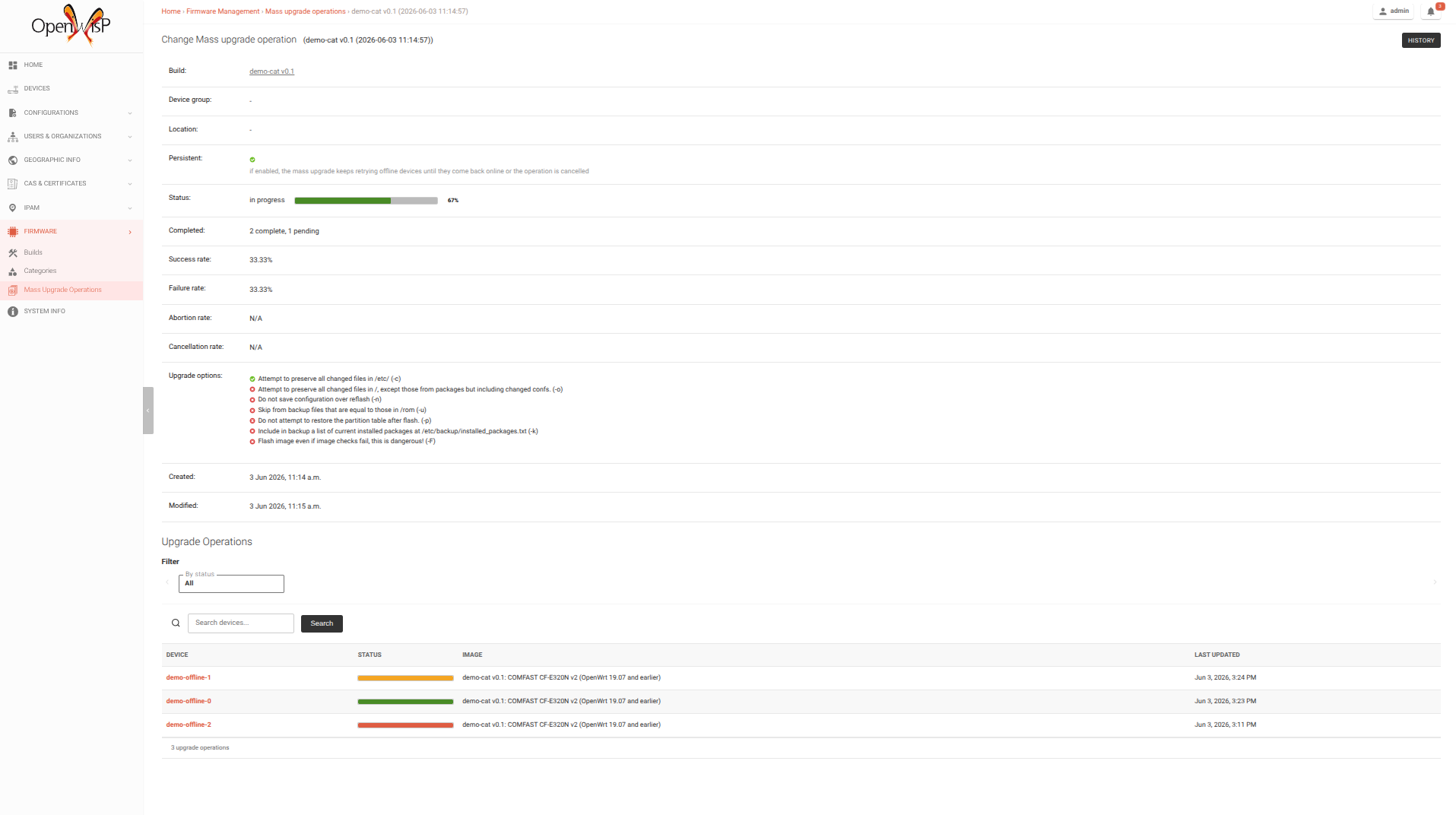
The mass-upgrade page above stays in progress while one device is
still pending, reporting 2 complete, 1 pending and keeping the
batch open until the offline device is retried successfully or cancelled.
See Upgrade Status for the full operation state machine and the
meaning of the pending state.
Using the admin
On the mass-upgrade confirmation page (reached from a build's Upgrade
action) the persistent checkbox is shown pre-checked. Leave it checked
to keep retrying offline devices, or uncheck it to fall back to the
behaviour where unreachable devices end as failed.
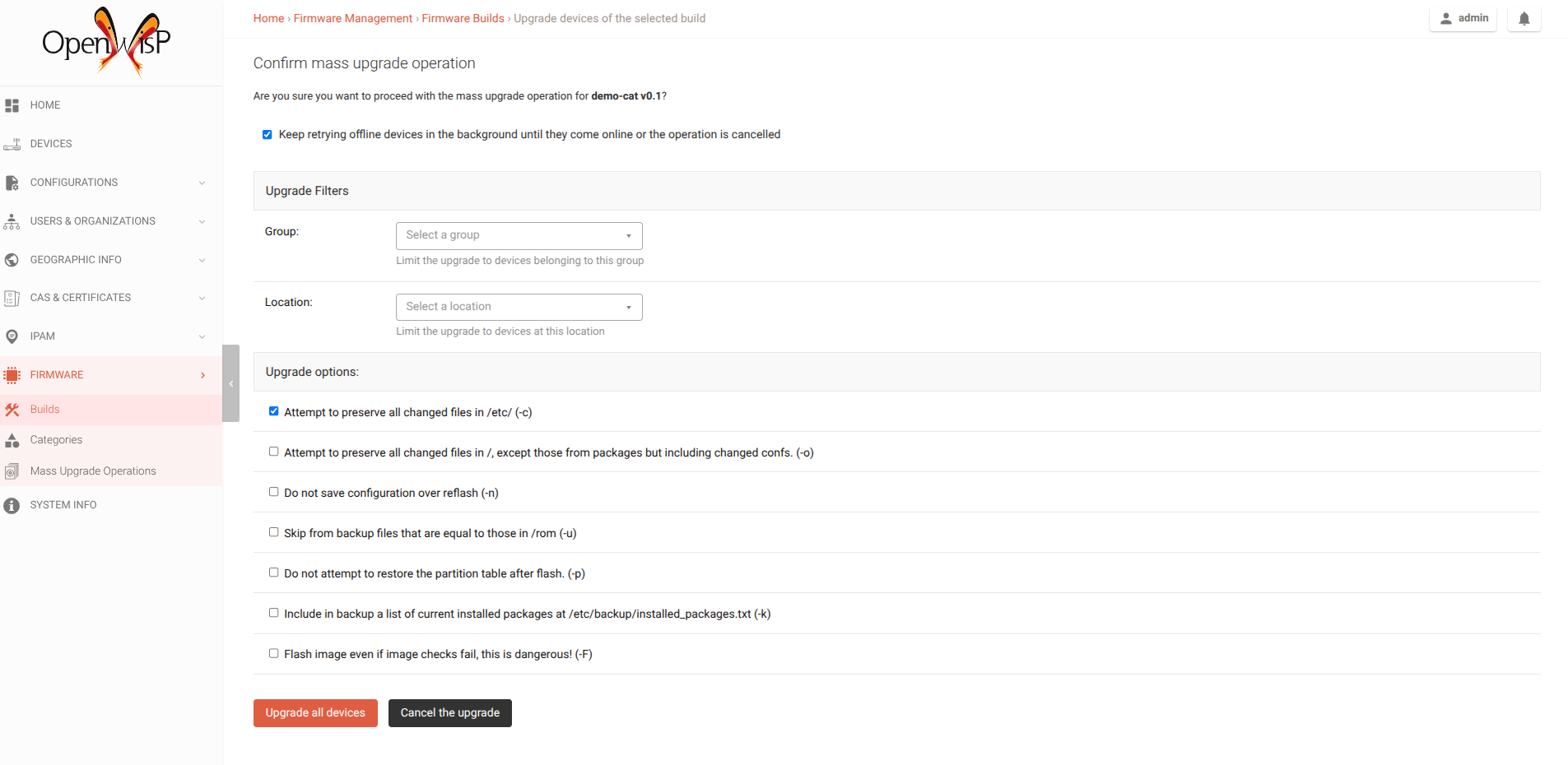
The flag is locked in once the mass upgrade starts, so it cannot be
changed midway through a running batch. While the batch is still idle
or scheduled the flag can still be changed.
Using the REST API
Set is_persistent to choose the same behaviour from an API client. It
defaults to true for the batch upgrade API and false for the
single-device upgrade API.
Finding pending operations
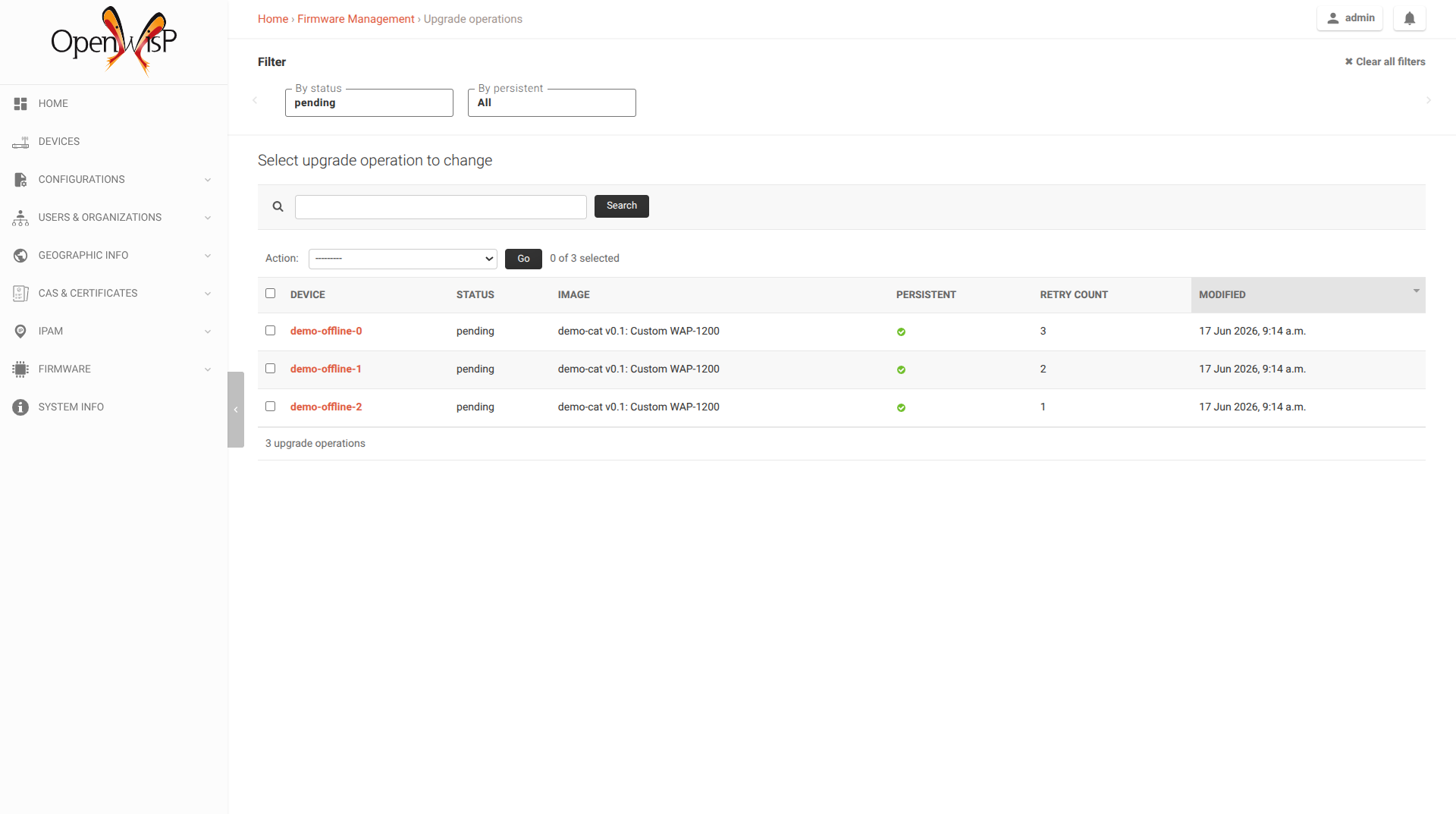
The upgrade-operation admin lists devices waiting for another attempt. Set
the status filter to pending to focus on them.
The list also shows the persistent flag and retry_count, which is
the number of retry attempts made so far.
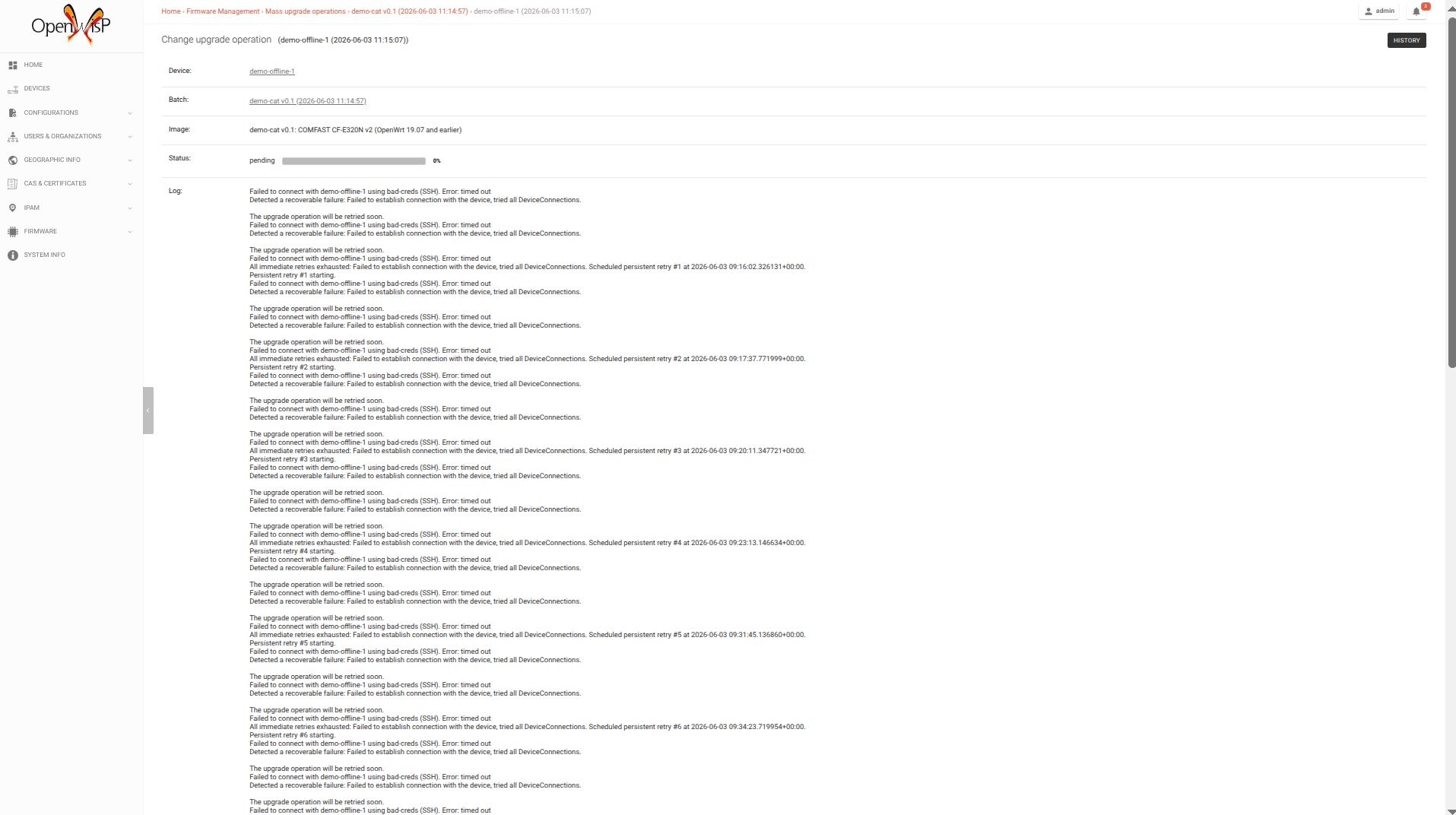
An operation's detail page adds next_retry_at (when the next attempt
is scheduled) and a log that records each attempt, ending with the
backoff-scheduled persistent retry line for the next run.
Cancelling a pending operation
A pending operation is still active, so you can cancel it from the admin
or the REST API. Cancelling stops future retries and moves the operation
to cancelled.
A pending operation cannot be deleted until it reaches a terminal state (see Deleting Upgrade Operations).
Notifications
OpenWISP notifies the organization's administrators and superusers about long-running or completed mass upgrades:
a reminder fires when a persistent batch still has pending children after the configured cadence has elapsed, and
a failure notification fires when a persistent operation finally ends as
failed(for example, the device cannot be reached after reflashing, or the upgrade fails for an unexpected reason). An image whose checksum already matches the device is reported assuccess, and an image rejected by the pre-flash validation isaborted; neither of those outcomes triggers this notification.a completion notification fires when a mass upgrade succeeds or fails (a user-initiated cancellation is not notified), whether or not it is persistent.
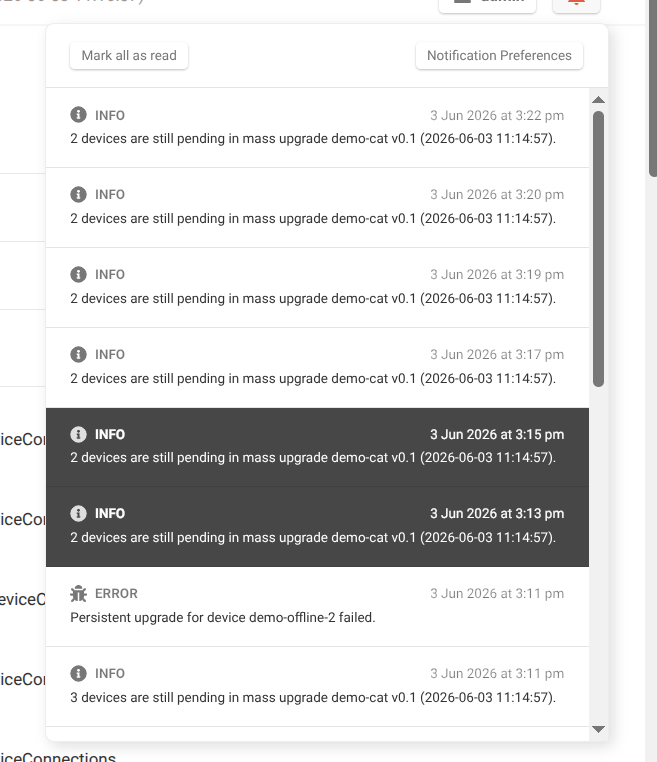
The reminder cadence is configured with OPENWISP_FIRMWARE_UPGRADER_PERSISTENT_REMINDER_PERIOD.
With OpenWISP Monitoring
Persistent upgrades work without monitoring: the periodic scan retries due operations on its normal schedule. To retry a device as soon as it comes back online, make sure OpenWISP Monitoring is installed and enabled. Its healthy-device event starts pending retries without waiting for the next scan.