

Admin Filters
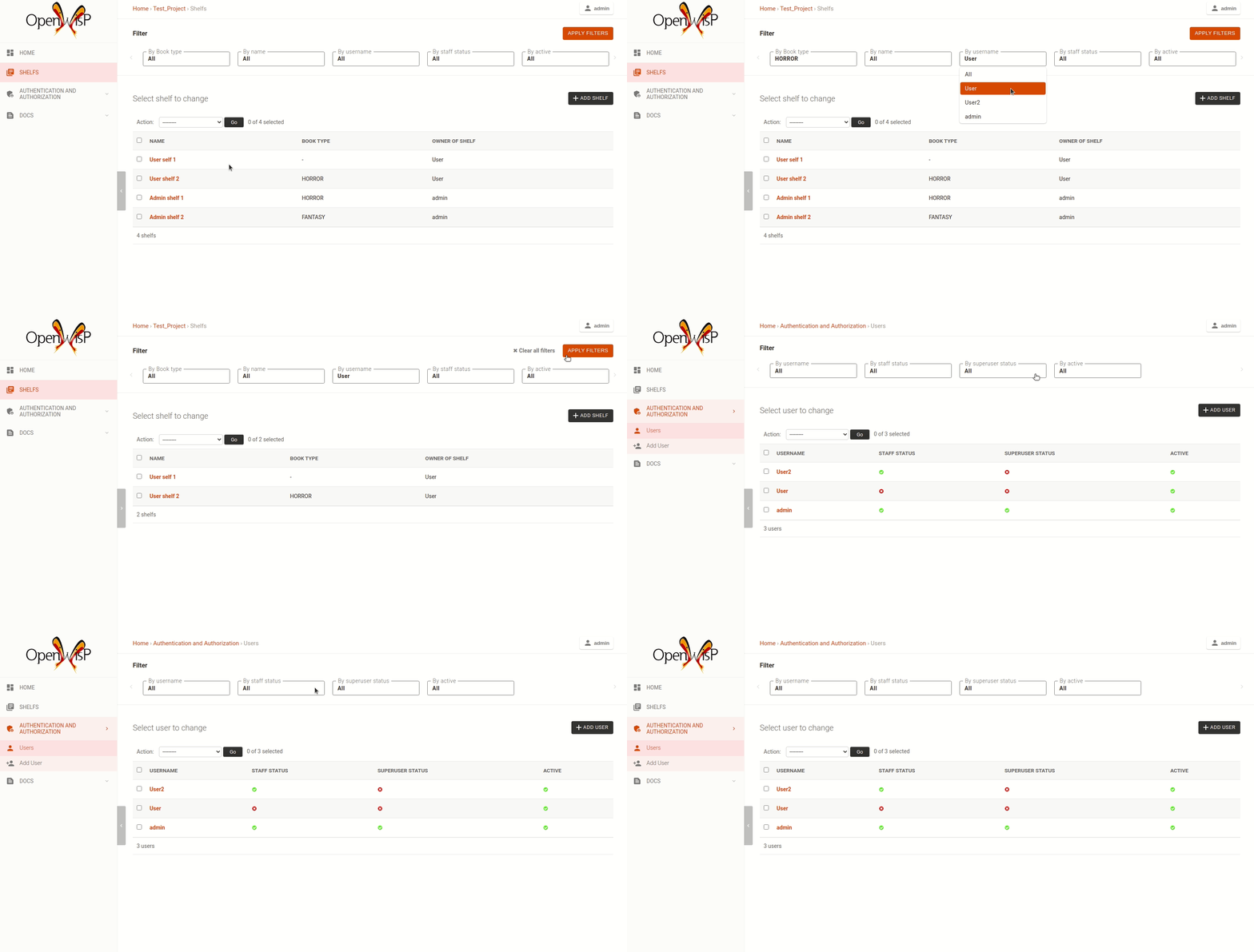
The admin_theme sub app provides an improved UI for the changelist
filter which occupies less space compared to the original implementation
in django: filters are displayed horizontally on the top (instead of
vertically on the side) and filter options are hidden in dropdown menus
which are expanded once clicked.
Multiple filters can be applied at the same time using the "apply filter" button. This button is displayed when either:
More than 4 filters are available on the page.
One or more sub-filters are present on the page.
When the "apply filter" button is displayed, filter selections are applied only after clicking the button. When 4 or fewer filters are available and no sub-filters are present, the button is hidden and filters behave like the default Django implementation: selecting a filter option immediately applies the filter and reloads the page.
Note
For more technical information on how the admin filter functionality is used across the OpenWISP codebase, see the reusable admin filter classes.
Sub-Filters
Sub-filters are conditional filters that are automatically shown or hidden based on the selected value of another filter.
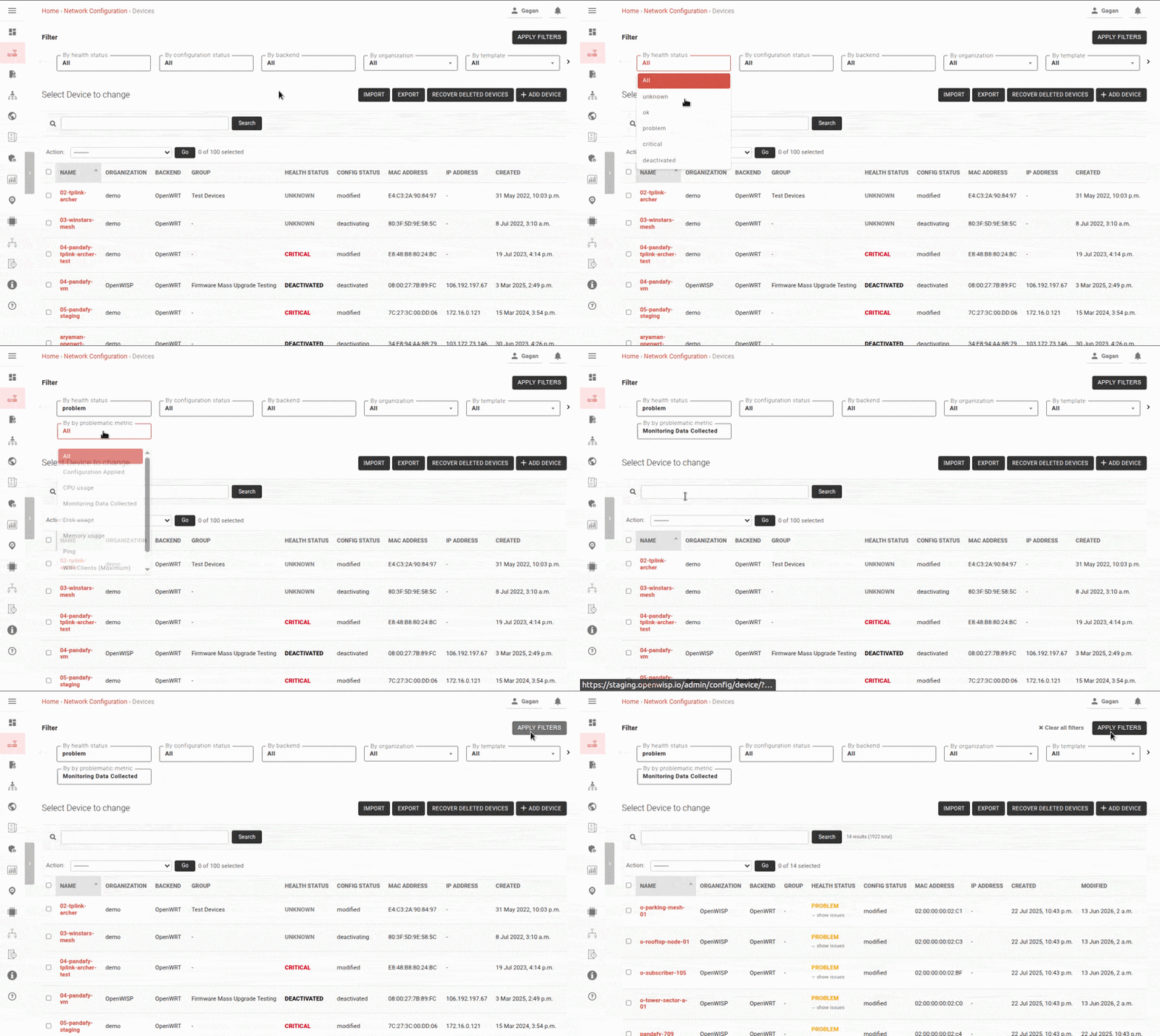
This allows additional filtering options to appear only when they are
relevant. In the example above, the "By problematic metric" filter is only
shown when the "By health status" filter is set to problem.
Note
For more technical information on how the admin sub-filter functionality is used across the OpenWISP codebase, see SubFilterMixin.