

Developer Installation Instructions
Note
This page is for developers who want to customize or extend OpenWISP IPAM, whether for bug fixes, new features, or contributions.
For user guides and general information, please see:
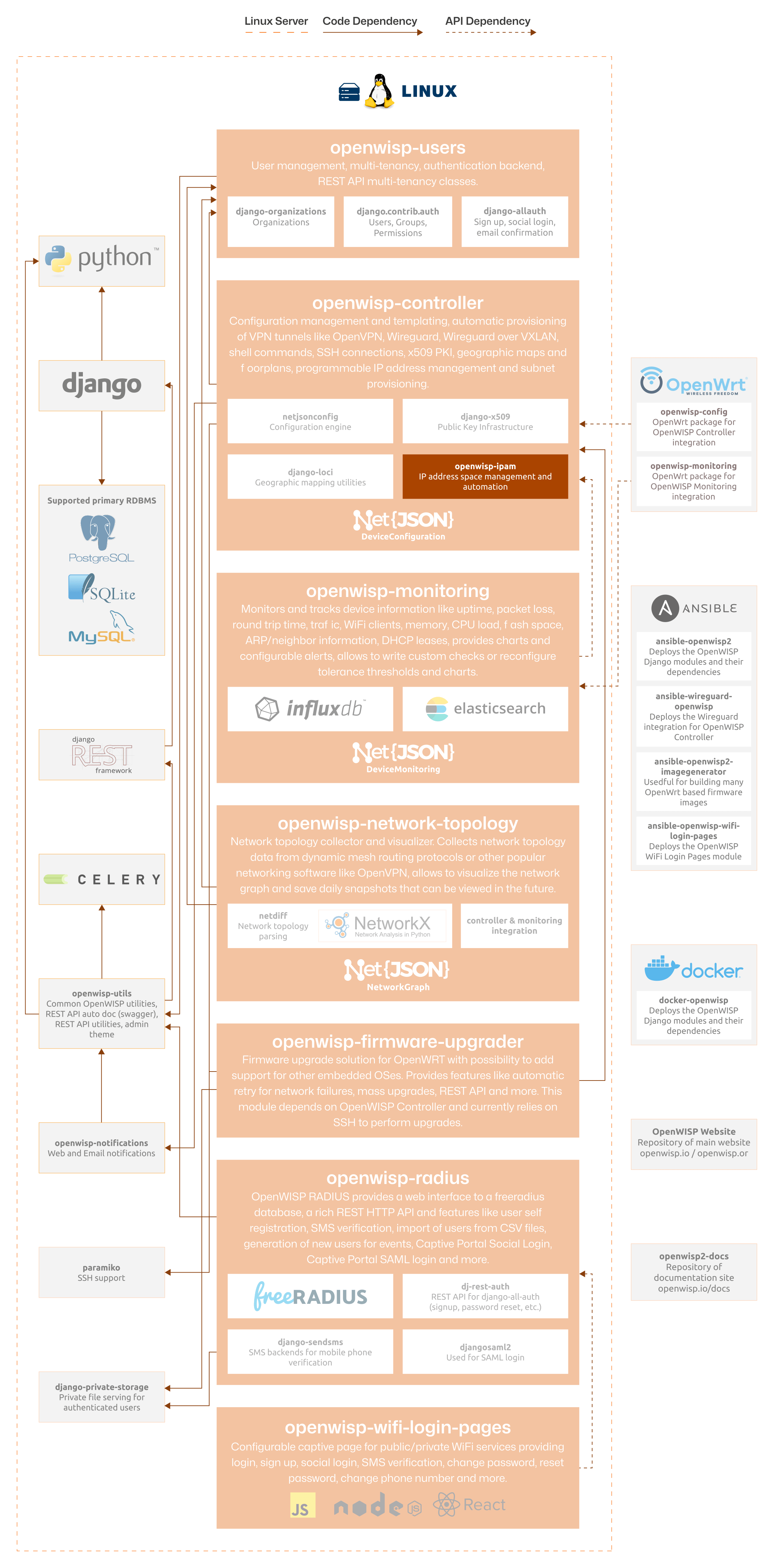
The following diagram illustrates the role of the IPAM module within the OpenWISP architecture.
Important
For an enhanced viewing experience, open the image above in a new browser tab.
Refer to Architecture, Modules, Technologies for more information.
Installing for Development
Install sqlite:
sudo apt-get install sqlite3 libsqlite3-dev openssl libssl-dev
Fork and clone the forked repository:
git clone git://github.com/<your_fork>/openwisp-ipam
Navigate into the cloned repository:
cd openwisp-ipam/
Setup and activate a virtual-environment (we'll be using virtualenv):
python -m virtualenv env
source env/bin/activate
Install development dependencies:
pip install -e .
pip install -r requirements-test.txt
Create database:
cd tests/
./manage.py migrate
./manage.py createsuperuser
Launch development server:
./manage.py runserver
You can access the admin interface at http://127.0.0.1:8000/admin/.
Run tests with:
cd ..  # Back to repository root
./runtests
Alternative Sources
Pypi
To install the latest Pypi:
pip install openwisp-ipam
Github
To install the latest development version tarball via HTTPs:
pip install https://github.com/openwisp/openwisp-ipam/tarball/master
Alternatively you can use the git protocol:
pip install -e git+git://github.com/openwisp/openwisp-ipam#egg=openwisp_ipam